
CarSim/MATLAB introductory simulation course
About our
Introductory CarSim/MATLAB Simulation Course
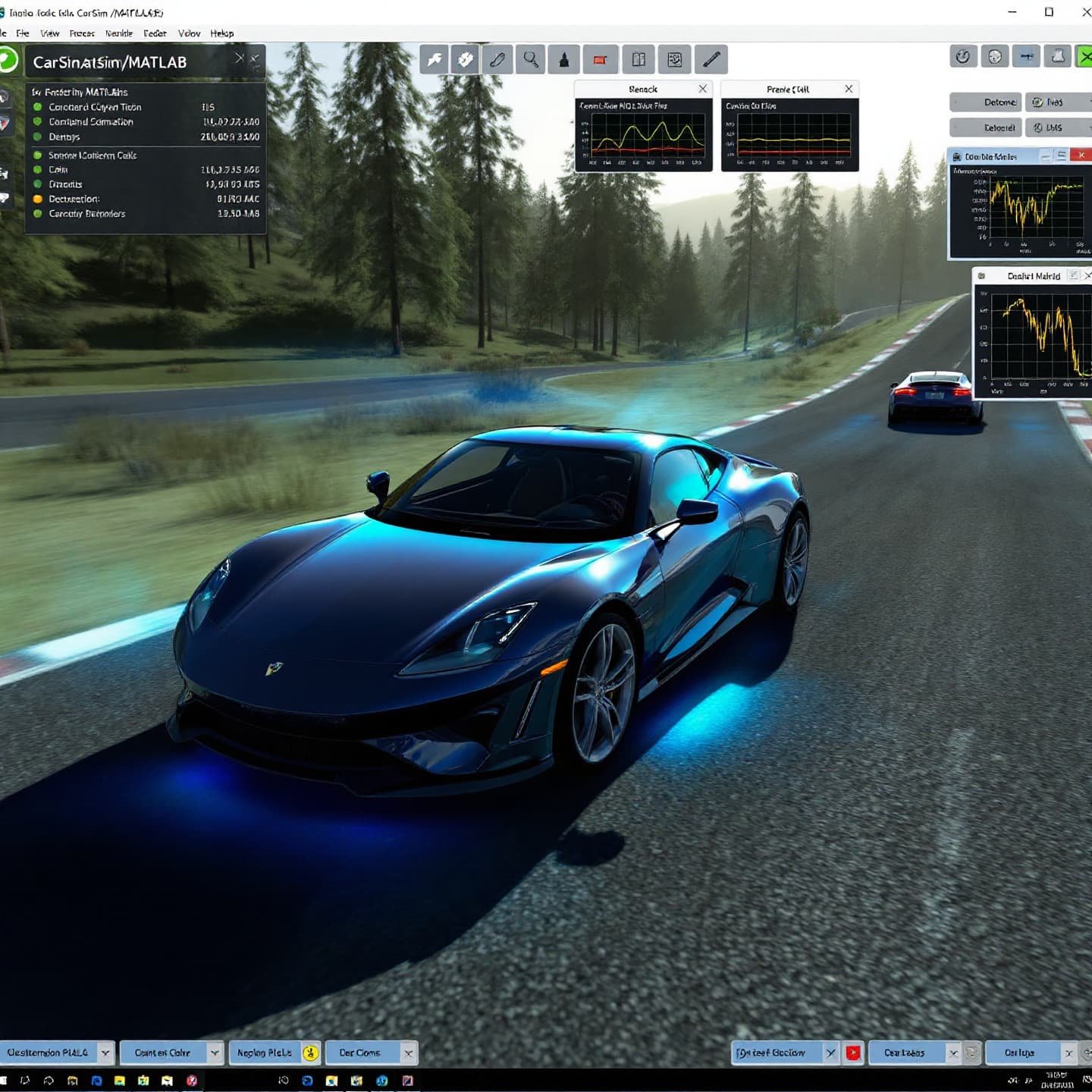
This course introduces participants to vehicle modeling and simulation using CarSim, a leading software in the automotive industry, and MATLAB for analysis and customization. It focuses on creating realistic vehicle models, simulating complex dynamics such as driving maneuvers, suspension, and braking. Participants learn to interpret results, analyze performance, and optimize vehicle design. The course provides a solid foundation for vehicle simulation and the development of skills in automotive engineering.
They focus on the use of graphical interfaces, scenario simulation, and integration with MATLAB for data processing and automation. The course is designed for engineers and technicians interested in vehicle simulation, offering the necessary tools for the development of virtual prototypes and vehicle safety research. Hands-on learning is promoted through exercises and projects.
CarSim/MATLAB introductory simulation course
- Format: Hybrid
- Duration: 3 months
- Hours: 300 H
- Language: English / Spanish
- Registration date: 23-10-2026
- Start date: 12-12-2026
- Available places: 3
599 $
Competencies and results
What you will learn
1. Vehicle Simulation with CarSim/MATLAB: Fundamentals and Applications
- Master the fundamentals of vehicle simulation using CarSim and MATLAB.
- Understand the interaction between the vehicle, the environment, and the driver in realistic simulations.
- Model and simulate suspension, steering, braking, and propulsion systems.
- Analyze the dynamic behavior of the vehicle under various driving conditions, including cornering, acceleration, and braking.
- Use CarSim to evaluate vehicle performance, including stability, handling, and comfort.
- Apply MATLAB for data analysis, signal processing, and the development of control algorithms.
- Learn to optimize vehicle design to improve performance and safety.
- Explore advanced applications of vehicle simulation, such as autonomous driving and Advanced Driver Assistance Systems (ADAS).
- Interpret and validate simulation results, identifying potential problems and areas for improvement. of improvement.
- Develop practical skills in vehicle simulation, from initial setup to results analysis and reporting.
2. Analysis and Design of Vehicle Control Systems: CarSim and MATLAB from Scratch
## What will you learn in the Vehicle Control Systems Analysis and Design: CarSim and MATLAB from Scratch course?
1. Fundamentals of Simulation and Modeling in CarSim and MATLAB:
* Introduction to CarSim: Interface, functionalities, and basic configuration.
* Vehicle modeling: Definition of parameters, properties, and components.
* MATLAB fundamentals: Syntax, data structures, and basic operations.
* CarSim-MATLAB integration: Data exchange and simulation control.
* Creation and analysis of simulation scenarios.
2. Design and Analysis of Vehicle Control Systems:
* PID controller design: Tuning and optimization in MATLAB.
* Vehicle stability control: Implementation of ABS, ESP, and TCS systems.
* Suspension system simulation: Modeling and analysis of dynamics.
* Steering system design: Analysis of response and stability.
* Vehicle dynamics optimization: Use of genetic algorithms and other techniques.
3. Advanced Applications and Practical Cases:
* Performance test simulation: Acceleration, braking, and maneuverability.
* Failure analysis and error detection in control systems.
* Study of the influence of environmental conditions on performance.
* Development of complex simulation projects: Design and analysis of autonomous vehicles.
* Reporting and documentation of the results obtained.
3. Comprehensive user-oriented design and validation (from modeling to manufacturing)
You will learn to integrate the entire product development process, from initial model conception to final validation, applying user-centered methodologies. You will develop skills in parametric design, ergonomics, simulation, sustainable materials, 3D visualization, and manufacturing management, ensuring efficient, safe solutions that meet current industry standards.
4. Introduction to CarSim/MATLAB Simulation: Modeling and Initial Analysis
Here is the requested content:
4. Introduction to CarSim/MATLAB Simulation: Modeling and Initial Analysis
Understand the fundamentals of simulation in CarSim and MATLAB.
Become familiar with the CarSim and MATLAB interface and tools.
Learn to create basic vehicle models in CarSim.
Perform initial simulations to evaluate vehicle behavior.
Analyze the simulation results, including the vehicle’s response to different maneuvers.
Introduction to data analysis and results visualization.
5. CarSim/MATLAB Simulation: Initial Exploration and Fundamental Applications
5. CarSim/MATLAB Simulation: Initial Exploration and Fundamental Applications
Master the CarSim and MATLAB interface for vehicle simulation.
Configure vehicle models in CarSim, including key components.
Understand the fundamentals of vehicle dynamics and its modeling.
Perform basic simulations to analyze vehicle behavior in different scenarios.
Explore the integration of CarSim and MATLAB for data analysis and processing.
Learn techniques for analyzing results and visualizing simulations.
Identify the fundamental applications of CarSim and MATLAB in vehicle design and development.
6. CarSim/MATLAB Simulation: Introduction and Basic Modeling
6. CarSim/MATLAB Simulation: Introduction and Basic Modeling
- Fundamentals of vehicle simulation in CarSim.
- Introduction to the MATLAB environment and its integration with CarSim.
- Creation and customization of basic vehicle models in CarSim.
- Analysis of suspension and steering systems.
- Simulation of maneuvers and performance tests.
- Visualization and analysis of simulation results.
- Introduction to parameter modification and model calibration.
- Vehicle model optimization techniques.
- Applications of CarSim/MATLAB in automotive design and development.
- Practical cases and examples of vehicle modeling.
Who this program is for:
CarSim/MATLAB introductory simulation course
- Engineers with degrees in Aerospace Engineering, Mechanical Engineering, Industrial Engineering, Automation Engineering, or similar disciplines.
- Professionals working in the aerospace industry, including rotorcraft/eVTOL Original Equipment Manufacturers (OEMs), maintenance, repair, and overhaul (MRO) companies, consulting firms, and technology centers.
- Specialists in areas such as flight testing, aircraft certification, avionics, control systems, and flight dynamics who wish to deepen their knowledge.
- Personnel of Regulatory bodies/authorities and professionals involved in the development and regulation of Urban Air Mobility (UAM/eVTOL) who need to acquire compliance skills.
Recommendations: Basic knowledge of aerodynamics, control, and structures is recommended. A B2+ or C1 level of Spanish/English (ES/EN) is required. We have bridging tracks available to address any knowledge gaps.
- Standards-driven curriculum: you will work with CS-27/CS-29, DO-160, DO-178C/DO-254, ARP4754A/ARP4761, ADS-33E-PRF from the first module.
- Accreditable laboratories (EN ISO/IEC 17025) with rotor bench, EMC/Lightning pre-compliance, HIL/SIL, vibrations/acoustics.
- Evidence-oriented TFM: safety case, test plan, compliance dossierand operational limits.
- Mentored by industry: teachers with experience in rotorcraft, tiltrotor, eVTOL/UAM and flight test.
- Flexible modality (hybrid/online), international cohorts and support from SEIUM Career Services.
- Ethics and security: safety-by-design approach, cyber-OT, DIH and compliance as pillars.
Module 1 — Introduction to CarSim and MATLAB
1.1 Introduction to Vehicle Simulation: Concepts and Objectives
1.2 What is CarSim? Interface and Working Environment
1.3 MATLAB Fundamentals: Introduction and Essential Tools
1.4 CarSim-MATLAB Interaction: Initial Setup and Workflow
1.5 Creating Basic Vehicle Models in CarSim
1.6 Introduction to Vehicle Component Modeling in CarSim
1.7 Analysis of Initial Results: Key Parameters and Graphs
1.8 First Steps in Customization and Scripting in MATLAB
1.9 Practical Simulation Examples: Acceleration and Braking
1.10 Common Challenges and Solutions in Vehicle Simulation
2.2 Vehicle Control System Modeling: Introduction to Control Theory
2.2 PID Controller Design in CarSim and MATLAB
2.3 Stability and Performance in Control Systems
2.4 Frequency Response Analysis and Compensator Design
2.5 Power Steering and Braking Systems
2.6 Stability and Traction Control: Modeling and Simulation
2.7 Introduction to Predictive Control (MPC) in Vehicles
2.8 Implementation and Validation of Control Systems in Simulation
2.9 Optimization of Control Parameters for Different Scenarios
2.20 Case Studies: Advanced Vehicle Control Applications
3.3 Introduction to CarSim/MATLAB: First Steps
3.2 Understanding the Interface and Workflow
3.3 Basic Vehicle Modeling: Initial Configuration
3.4 Motion Simulation: Fundamental Tests
3.5 Results Analysis: Initial Data Interpretation
3.6 Scenario Creation: Simple Test Design
3.7 Parameter Optimization: Basic Adjustments
3.8 Data Visualization: Graphs and Animations
3.9 Practical Applications: Simple Examples
3.30 Troubleshooting Common Problems: Tips for Beginners
4.4 Introduction to Vehicle Simulation with CarSim and MATLAB
4.2 Modeling Fundamentals in CarSim
4.3 Introduction to MATLAB for CarSim Data Analysis
4.4 Initial Configuration of Vehicle Simulations
4.5 Basic Analysis of Simulation Results
4.6 Exploring Different Vehicle Components in CarSim
4.7 Modeling and Analysis of Suspension Systems
4.8 Introduction to Steering System Analysis
4.9 Study of Tires and Their Influence on the Simulation
4.40 Practical Case: Simulating a Vehicle Under Basic Conditions
5.5 Introduction to CarSim and MATLAB for Beginners
5.5 CarSim Environment and Basic Functions
5.3 Importance of Rotorcraft Modeling
5.4 Introduction to the CarSim User Interface
5.5 Introduction to the MATLAB User Interface
5.6 Creating and Configuring a Basic Vehicle Model
5.7 Importing Data and Visualizing Initial Results
5.8 Introduction to Rotor Modeling in CarSim
5.5 Fundamentals of Vehicle Control: Key Concepts
5.5 Designing PID Controllers in MATLAB
5.3 Implementing Controllers in CarSim
5.4 Stability and Performance Analysis of Control Systems
5.5 Designing Control Systems for Steering and Suspension
5.6 Simulating Control Systems in CarSim
5.7 Tuning and Optimizing Controllers
5.8 Analyzing Results and Conclusions
3.5 Introduction to Advanced Simulations
3.5 Modeling Different Types of Vehicles
3.3 Simulating Complex Maneuvers
3.4 Analysis of Vehicle dynamics in critical situations
3.5 Test design and simulation scenarios
3.6 Implementation of virtual sensors and actuators
3.7 Data visualization and analysis techniques
3.8 Interpretation and presentation of results
4.5 Introduction to vehicle modeling in CarSim/MATLAB
4.5 Parameter selection and initial configuration
4.3 Simulation of basic scenarios: acceleration and braking
4.4 Analysis of results: speed, distance, and forces
4.5 Modeling of components: tires, suspension, and engine
4.6 Analysis of the influence of components on vehicle behavior
4.7 Introduction to data analysis and graphs
4.8 Optimization and adjustments of the initial model
5.5 Introduction to vehicle simulation
5.5 Creation of vehicle models
5.3 Simulation of different types of tests and scenarios
5.4 Analysis of simulation results
5.5 Applications in vehicle design and development
5.6 Exploration of interfaces and tools
5.7 Simulation of different driving scenarios
5.8 Visualization and analysis techniques Data
6.5 Introduction to Basic Vehicle Modeling
6.5 Creating a Simplified Vehicle Model
6.3 Defining Parameters and Initial Configurations
6.4 Simulating Performance and Basic Handling Tests
6.5 Analyzing Results: Graphs and Key Data
6.6 Modifying and Adjusting the Basic Model
6.7 Introduction to Simulating Different Scenarios
6.8 Interpreting and Presenting Results
7.5 Introduction to Vehicle Simulation and Analysis
7.5 Creating a Simplified Vehicle Model
7.3 Simulating Basic Tests: Acceleration, Braking, and Cornering
7.4 Analyzing Results: Speed, Distance, and Forces
7.5 Introduction to Modeling Basic Component Elements
7.6 Analyzing the Influence of Components on Vehicle Behavior
7.7 Introduction to Data Analysis and Graphs
7.8 First Steps in Model Optimization
8.5 Introduction to Rotor Modeling
8.5 Configuring Key Parameters for Analysis
8.3 Simulating Different Operating Conditions
8.4 Performance Analysis: Power, Thrust, and Efficiency
8.5 Rotor Dynamics Modeling
8.6 Study of the Effects of Wind and Other Environmental Factors
8.7 Interpretation and Presentation of Results
8.8 Rotor Design Optimization
6.6 Introduction to Vehicle Modeling: Key Concepts
6.2 CarSim: Getting Started and Familiarizing Yourself
6.3 Creating a Basic Vehicle Model
6.4 Initial Simulation: Setup and Configuration
6.5 Analysis of Preliminary Results
6.6 Parameter Modification and Adjustment
6.7 Exploring Different Simulation Scenarios
6.8 Introduction to Interacting with MATLAB
6.9 Data Visualization and Analysis with MATLAB
6.60 Conclusions and Next Steps
- Hands-on methodology: test-before-you-trust, design reviews, failure analysis, compliance evidence.
- Software (depending on licenses/partners): MATLAB/Simulink, Python (NumPy/SciPy), OpenVSP, SU2/OpenFOAM, Nastran/Abaqus, AMESim/Modelica, acoustics tools, planning toolchains DO-178C.
- SEIUM Laboratories: scale rotor bench, vibrations/acoustics, EMC/Lightning pre-compliance, HIL/SIL for AFCS, data acquisition with strain gauging.
- Standards and compliance: EN 9100, 17025, ISO 27001, GDPR.
Capstone-type projects
- Rotor Optimization: BEMT/CFD; Correlation; Acoustics.
- Control (AFCS/SCAS): Hover/Hold; Protection; SIL/HIL.
- Tiltrotor: Corridor Conversion; Margins.
- Aeroelasticity: Modal; Flutter; Mitigations.
DO-160: Environmental Testing and Mitigation.
- Automatic Flight Control System (AFCS): SIL/HIL design and validation; stability and maneuver control in CarSim/MATLAB.
- Vehicle Control System Simulation: Modeling and analysis of control systems; algorithm optimization.
- Vehicle Performance Analysis: Study of vehicle dynamics; simulation and evaluation of different scenarios.
- CarSim/MATLAB Integration: Development of models and advanced simulation for behavior and performance analysis.
- Autonomous Vehicle: Predictive control design with CarSim/MATLAB for complex maneuvers.
- Intelligent Suspension System: Parameter optimization with CarSim/MATLAB and stability analysis.
- Vehicle Thermal Management: Simulation and optimization of systems with CarSim/MATLAB, considering different conditions.
- Propeller Simulation: Optimization, CFD, acoustic analysis.
- Flight Control: Hover, attitude, SIL/HIL validation.
- Tiltrotor: Conversion corridor evaluation.
- Aeroelasticity: Modal analysis, flutter, mitigation.
DO-160: Environmental testing and mitigation.
Admissions, fees, and scholarships
- Profile: Background in Computer Engineering, Mathematics, Statistics, or related fields; practical experience in NLP and valued information retrieval systems.
- Documentation: Updated CV, academic transcript, SOP/statement of purpose, project examples or code (optional).
- Process: Application → Technical evaluation of profile and experience → Technical interview → Review of case studies → Final decision → Enrollment.
- Fees:
- Single payment: 10% discount.
- Payment in 3 installments: No fees; 30% upon registration + 2 equal monthly payments of the remaining 35%.
Monthly payment: available with a 7% commission on the total; annual review.
Scholarships: based on academic merit, financial need, and promoting inclusion; agreements with companies in the sector for partial or full scholarships.
See “Calendar & Calls for Applications,” “Scholarships & Grants,” and “Fees & Financing” in the SEIUM mega-menu.
Do you have any questions?
Our team is ready to help you. Contact us, and we will respond as soon as possible.
F. A. Q
Frequently asked questions
Yes, we have international certification
Yes: experimental models, real data, applied simulations, professional environments, real case studies.
It is not mandatory. We offer leveling tracks and tutoring.
Completely. It covers e-propulsion, integration, and emerging regulations (SC-VTOL).
Recommended. There are also internal challenges and consortiums.
Yes. Online/hybrid modality with planned labs and visa support (see “Visa & Residence”).